How to add images
EricKelly
2020-07-31 06:11 UTC
To add an image to your post, you have some options:
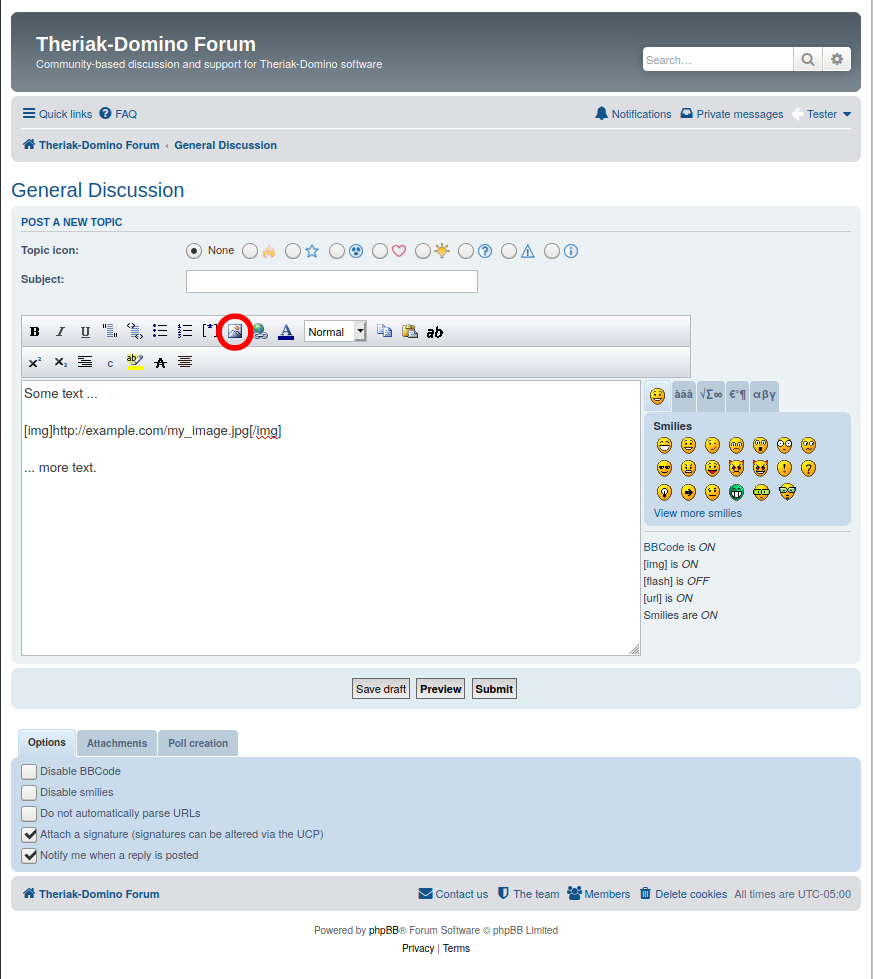
Option A (Image url) Put your image in dropbox or some other web-accessible place, and copy the address (url). While editing your post, click the “Insert image” icon and paste your url.
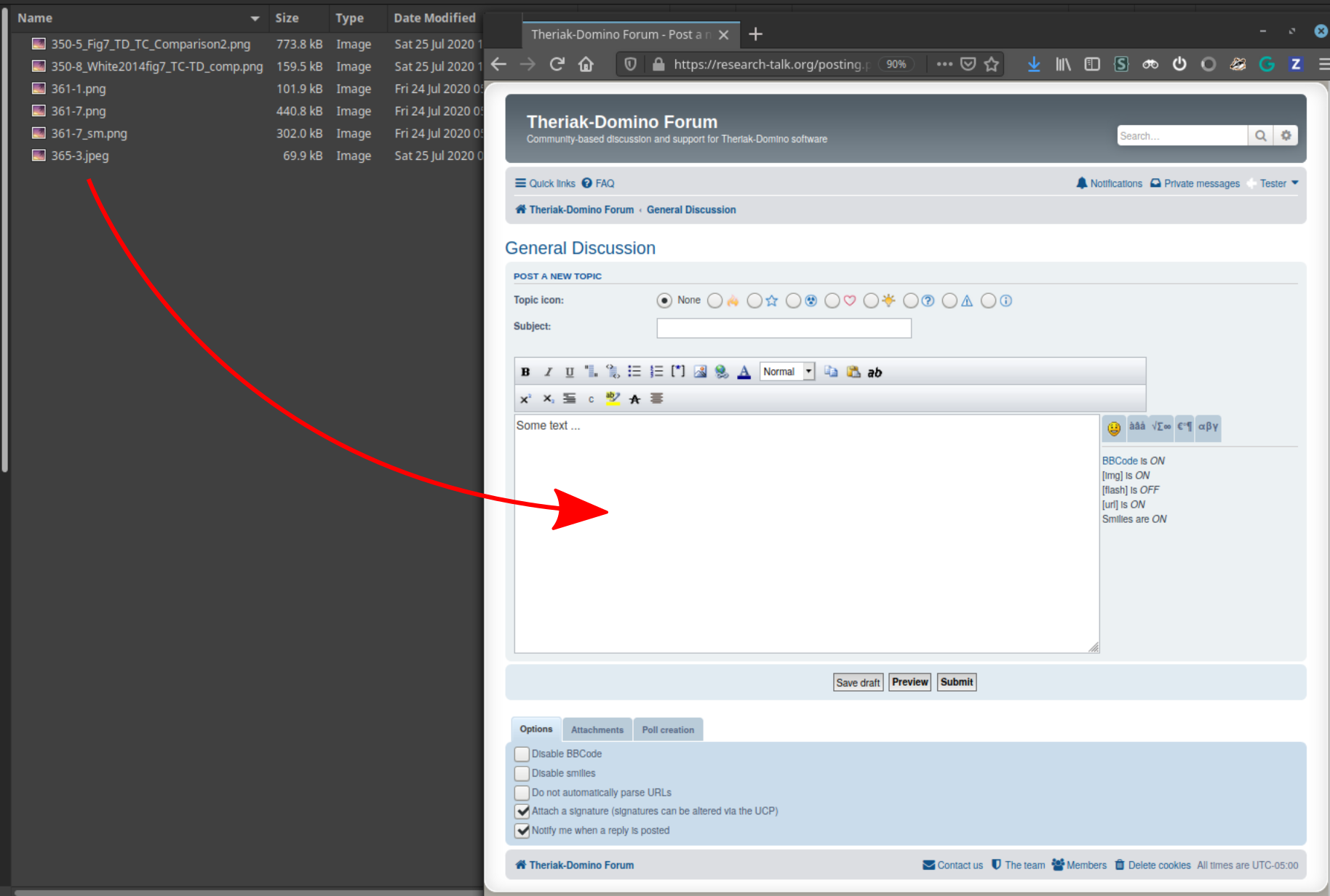
Option B (Upload image by drag and drop) Put the cursor on the line where you want the image, then drag an image file to the message box.
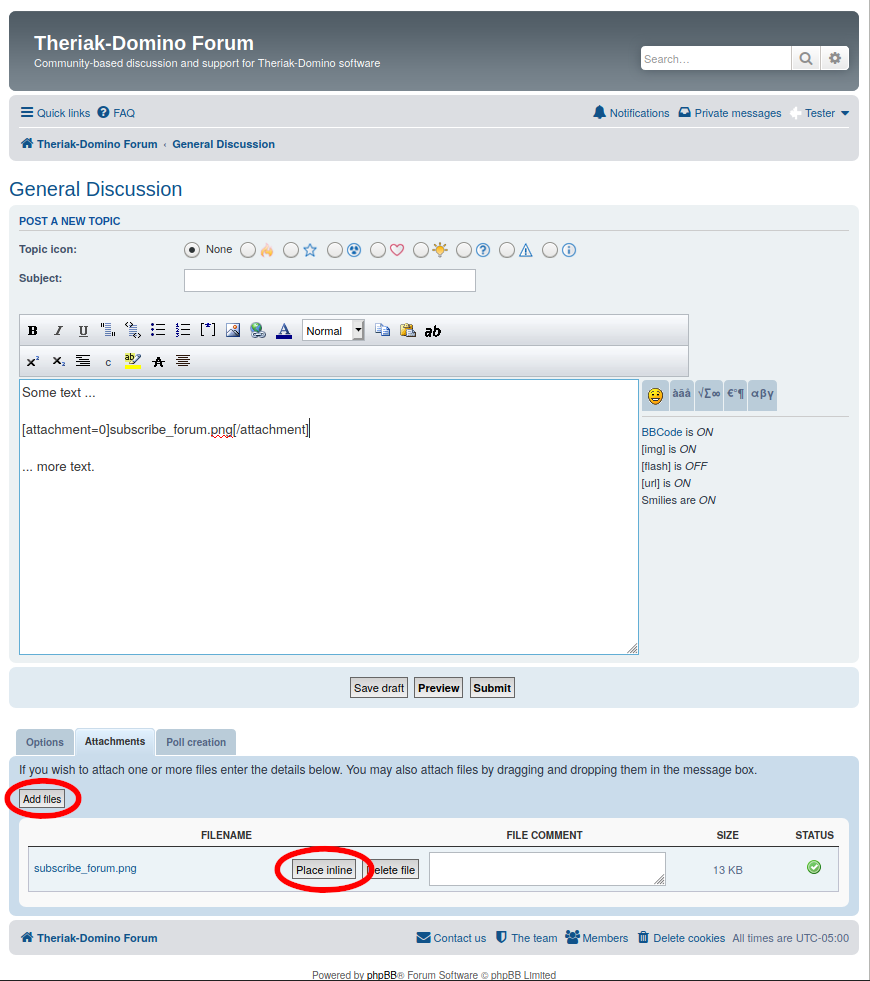
Option C (Upload image as inline attachment) Click the “Attachments” tab, click “Add files”, and choose your image. Put the cursor on the line where you want the image to appear in the post, and click “Place inline”.